

Roblox
The Infinite Creator Marketplace Where Players Build, Play, and Connect
Roblox Mobile App Review: A Balanced Look at Strengths and Challenges
What Is Roblox?
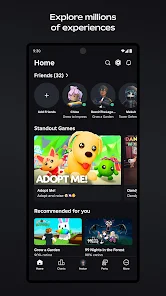
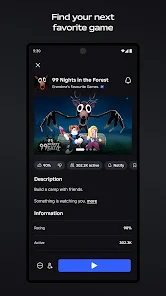
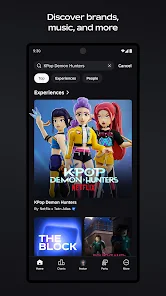
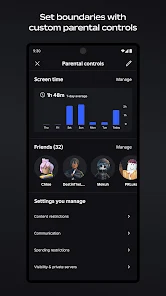
Roblox is a user-generated gaming platform that lets players access thousands of different games—from casual social hangouts to competitive action games—all without downloading individual titles. With over a decade of active development, it has built a massive library of games created by independent developers. The platform excels at offering variety, social connection, and accessibility for players of all ages.
Why Roblox Stands Out: The Genuine Strengths
Unmatched Game Variety
The platform’s greatest asset is its breadth of content. One long-term player with 8 years of experience stated: “I have not gotten bored. This is one of my personal favourites as it has lots of different categories of games, the creativity never ends!”
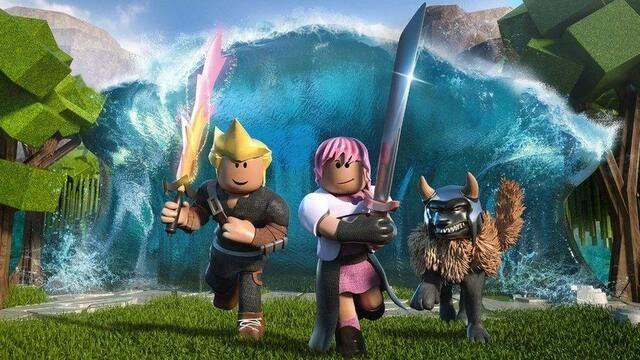
You can genuinely find almost any type of experience:
- Strategy and action games requiring constant focus
- Casual, relaxing social spaces
- Collaborative building games
- Competitive multiplayer titles
- Creative customization experiences
No Download Barrier
Unlike traditional gaming, you jump directly into games without installation delays. For mobile users, this is a genuine convenience advantage that keeps the app lightweight.
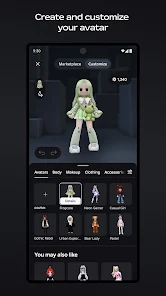
Character Customization and Avatar Expression
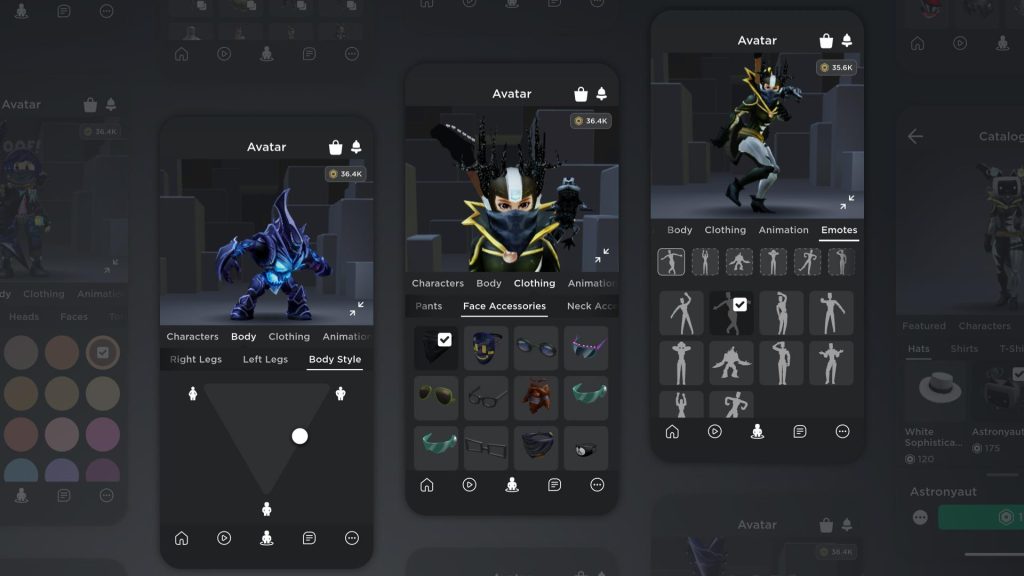
Players appreciate the freedom to customize their avatars and express themselves within the platform. This social element—being able to look unique and show creativity—is a core appeal.
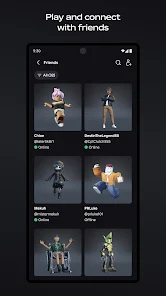
Cross-Platform Friends Network
A significant strength: you can play with friends across different devices. The social infrastructure for adding friends and joining together is smooth and intuitive.
Regular Community Engagement
The platform has introduced positive updates like increasing maximum friends limits, which players genuinely appreciate as quality-of-life improvements.
The Challenges: Where Users Report Friction
1. Mobile Account Management Issues
| Aspect | The Problem | Impact |
|---|---|---|
| Account switching | App freezes or throws errors when logging between accounts | Players sharing devices can’t easily switch |
| Session handling | Crashes sometimes require force-closing and restarting | Lost session progress; frustrating on commutes |
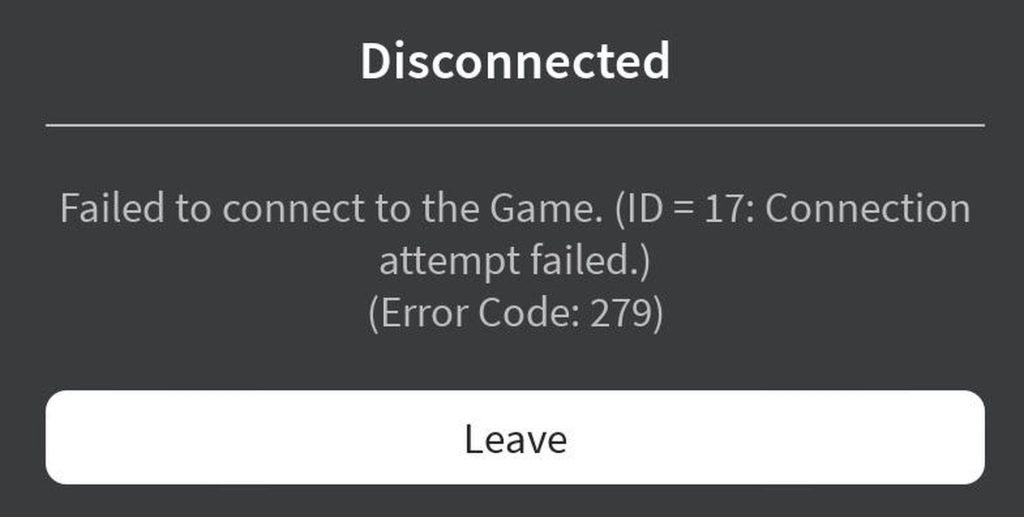
| Error codes | Generic error messages (like code 279) without context | Users don’t know if it’s their WiFi or app issue |
Real user experience: “Switching between accounts often causes the app to freeze or throw an error code.”
2. Connection and Network Stability
The inconsistency is the core issue. WiFi can be perfectly functional, yet Roblox disconnects.
| Scenario | What Happens |
|---|---|
| Lag spikes mid-game | Ping jumps to 300+ without warning |
| Texture degradation | Game doesn’t disconnect; textures blur temporarily instead |
| Random server kicks | Instant disconnect upon joining or after 5-10 minutes of play |
| Error 279 specifically | Connection validation timeout persists even with strong WiFi |
User report: “It almost always kicks me using error code 279, when there is no problem with my Wi-Fi.”
The frustrating part: other players in the same games don’t experience this, suggesting it’s device-specific or account-specific rather than a global server issue.
3. Hardware Integration Problems
The Headphone Audio Issue
This is surprisingly common: When headphones are connected or background music is playing, Roblox either:
- Falsely reports missing sound drivers
- Routes voice chat audio to the device speaker instead of headphones
- Creates messy audio mixing that makes games unplayable with music
User report: “When I join a game, ESPECIALLY if I have headphones in or music playing, it’ll tell me I have no sound driver when I DO, or it’ll change my music output to my phone speaker instead of headphones.”
Related problem: Recent updates removed the ability to fully disable voice chat—you can only mute/unmute it. Players who want background music are stuck hearing both simultaneously through incorrect audio channels.
4. Device Performance Issues
Mobile devices overheat and drain battery rapidly, even compared to other apps. One user noted: “It using up the battery and heating up my phone.”
This suggests the app doesn’t efficiently manage memory or CPU usage during gameplay.
5. Small but Persistent Glitches
Camera zoom glitch: The character camera sometimes locks into zoom-only mode, making the game unplayable. The accidental fix: Opening the in-game menu resets the camera state. This reveals the bug is a state-management problem rather than a fundamental issue.
Auto-disconnect: Players are kicked from games they’re actively playing without error messages. Rejoining works but you lose progress.
Chat filter false positives: The moderation system flags normal words like “ok” and “yes” as inappropriate.
6. Purchase and Asset Integrity Issues
| Type | Issue |
|---|---|
| Robux purchases | Currency shows “received” but doesn’t actually deliver |
| Purchased cosmetics | Items are removed without refund or explanation |
| Marketplace scarcity | Many free items promised but rarely available |
What players say: “Buying Robux sometimes glitches, tells you that you have received money, and gives you none.” And regarding removed items: “I’ve had items removed/deleted that I purchased and I did not got any refund whatsoever.”
Side-by-Side Comparison: What Works vs. What Doesn’t
| Category | Strength | Challenge |
|---|---|---|
| Content | Thousands of games, infinite variety | Hard to discover quality games among low-effort copies |
| Accessibility | No download required; plays on old devices | Battery drain and overheating on sustained play |
| Social | Easy friend connections, cross-platform play | Chat filter too aggressive; removing social features (group walls removed) |
| Customization | Rich avatar options | Purchased items deleted without compensation |
| Stability | Many games run smoothly | Unpredictable connection drops and device-specific glitches |
| Costs | Many free games available | In-app purchases sometimes glitch; premium features require spending |
How to Avoid or Minimize These Problems
For Connection Issues
- Check your WiFi strength first
- Run a speed test in your browser before blaming Roblox
- Move closer to your router if possible
- If other apps work fine, the problem is likely app-specific
- Avoid playing on older games or newly released games
- Newer games sometimes have server stability issues
- Stick to popular, well-established games with consistent player counts
- Restart the app between sessions
- Don’t assume connection issues mean your WiFi is down
- Force close and reopen Roblox completely
- Play during off-peak hours
- Connection quality often improves mid-afternoon vs. evening rush
For Account and Login Issues
- Don’t rapid-switch accounts
- Wait 10-15 seconds after logging out before logging in again
- This gives the app time to clear session cache
- Clear app cache regularly
- Go to your phone’s Settings → Apps → Roblox → Storage → Clear Cache
- Do this monthly to prevent authentication buildup issues
- Keep the app updated
- Older app versions have more connection bugs
- Check your app store for pending updates
For Audio Problems
- Disconnect headphones before launching
- The app is more stable if you connect headphones after entering a game
- Or simply use device speaker to avoid the routing conflict
- Disable voice chat before joining
- Mute voice chat in settings before entering games where you want background music
- While you can’t fully disable it, muting prevents audio conflicts
For Performance Issues
- Close background apps and music before playing
- This reduces RAM pressure and heat generation
- Your phone will run cooler and battery will last longer
- Use WiFi instead of mobile data
- WiFi connections are more stable than cellular
- This also saves your mobile data plan
- Take breaks on longer play sessions
- Let your phone cool down every 30-45 minutes
- This prevents thermal shutdown and extends battery life
For Purchase Issues
- Document your purchase before claiming you received currency
- Screenshot the purchase confirmation
- Wait 5-10 minutes before checking your balance—there can be delay
- If it still doesn’t appear, report it to Roblox support immediately with screenshots
- Avoid buying premium items during large updates
- Server load during updates sometimes causes transaction failures
- Wait 24 hours after a major update before making purchases
- Buy through web, not mobile app, when possible
- The web version has fewer transaction glitches than mobile
- You’ll then have the currency available on mobile
The Bottom Line
Roblox remains genuinely valuable because of its unmatched game variety and social accessibility. For casual players, the platform works well. However, for dedicated mobile players, you should expect to work around several persistent issues—particularly connection instability, audio integration problems, and occasional purchase glitches.
The problems aren’t game-breaking, but they’re also not trivial. If you’re willing to use the workarounds listed above, you’ll have a much smoother experience. If you need a perfectly stable, glitch-free gaming platform, you might want to consider alternatives like Fortnite or Minecraft, which have better mobile optimization.
Overall rating recommendation: 4/5 stars for casual play; 3.5/5 stars for serious mobile gamers. The content is exceptional, but the technical execution needs refinement.
Download Roblox for Free:

If you decide to try it, Roblox is available for free download on both Google Play and the Apple App Store. By following the workarounds above, you’ll have a much smoother experience than most players.”