
Google Gemini
Meet Gemini, Google’s AI assistant. Get help with writing, planning, brainstorming, and more. Experience the power of generative AI.
Available on the web, Android, and iOS
Google Gemini Review: Can Google’s AI Assistant Become Your Everyday Productivity Partner?
Artificial intelligence tools are everywhere today, but finding one that genuinely improves productivity can feel like searching for the right co-pilot for a long journey. Some AI assistants are excellent conversationalists, while others specialize in coding or content creation. Google Gemini aims to be something broader—a versatile AI companion that can understand documents, analyze images, answer complex questions, and integrate directly into the Google ecosystem many people already use every day.
Quick Overview
Google Gemini is an AI-powered assistant developed by Google and designed to help users with research, content creation, productivity tasks, coding assistance, and information analysis. Available on the web, Android, and iOS, Gemini combines advanced language understanding with multimodal capabilities that allow it to process text, images, screenshots, PDFs, and other document formats.
The platform offers a free version for everyday use, while advanced AI features and higher usage limits are available through Google’s premium subscription plans. Gemini is particularly well-suited for students, professionals, researchers, content creators, and anyone already using Google’s productivity ecosystem.
**Developer:** Google
**Platforms:** Web, Android, iOS
**Pricing:** Free plan available; premium tiers unlock additional capabilities
**Best For:** Students, professionals, researchers, and content creators
Google Gemini combines several capabilities that make it more than a traditional AI chatbot. During our testing, four features consistently delivered the most value.
Multimodal Understanding allows Gemini to analyze not only text prompts but also images, screenshots, PDFs, and other documents. This makes it particularly useful for users who regularly work with visual information or lengthy reports.
Research Assistance is another standout capability. Gemini excels at organizing information, summarizing complex topics, and helping users explore unfamiliar subjects in a structured way. This feature proved especially valuable when conducting research-intensive tasks.
Google Ecosystem Integration helps Gemini fit naturally into existing workflows. Users who already rely on Google services can benefit from a more seamless experience when moving between productivity tools and AI-assisted tasks.
Finally, Ease of Use remains one of Gemini’s strongest advantages. The interface is clean and approachable, allowing both beginners and experienced users to start benefiting from AI assistance with minimal setup or training.
Gemini’s Most Impressive Feature
The feature that stood out most during testing was Gemini’s multimodal intelligence. Unlike traditional AI chatbots that primarily rely on text input, Gemini can analyze multiple forms of content within the same conversation. Users can upload screenshots, PDFs, images, presentations, or documents and ask questions naturally.
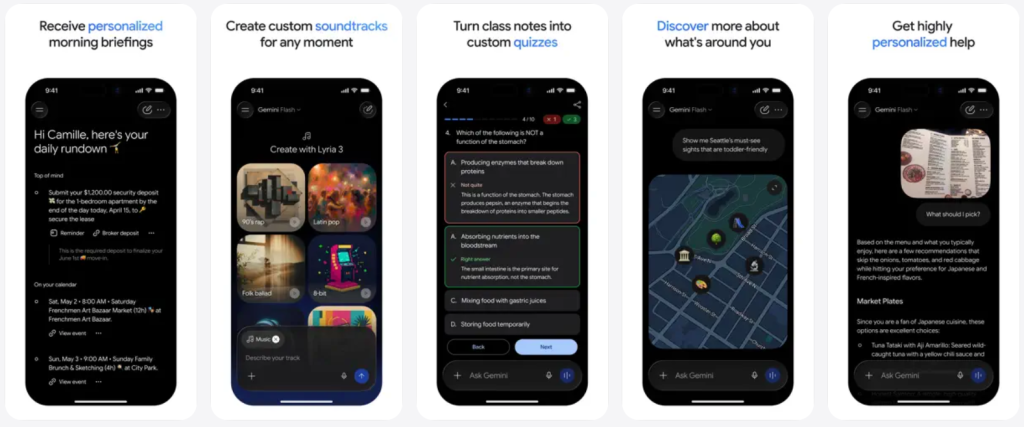
For example, we uploaded a lengthy industry report and asked Gemini to summarize key findings. Instead of generating a generic overview, it identified major themes, highlighted important statistics, and organized information into a structured summary. We also tested image interpretation using screenshots containing charts and graphs. Gemini successfully explained visual trends and provided contextual insights without requiring detailed instructions.
This capability significantly reduces the time spent manually extracting information from documents and visual content.
What We Liked
- Fast document summarization
- Strong image and screenshot understanding
- Effective context retention across multiple files
- Useful for study, research, and workplace tasks
Where It Could Improve
- Complex technical diagrams occasionally required additional clarification
- Some highly specialized documents produced less detailed analysis
Research That Feels More Like Collaboration
If multimodal understanding is Gemini’s most visible strength, research assistance is arguably its most practical one. During testing, we used Gemini to explore unfamiliar topics, compare software tools, summarize technical concepts, and organize research notes. What impressed us wasn’t simply the ability to generate answers—it was how Gemini structured information. Responses were often organized into logical sections, making complex topics easier to understand.
This is particularly valuable for students preparing assignments, professionals conducting market research, or content creators gathering information for articles and presentations.
Compared with many AI productivity tools, Gemini often feels less like a chatbot and more like a digital research assistant helping users navigate large amounts of information. That said, users should still independently verify important facts, especially when dealing with fast-changing topics such as technology, finance, or current events.
Smooth, Familiar, and Beginner-Friendly
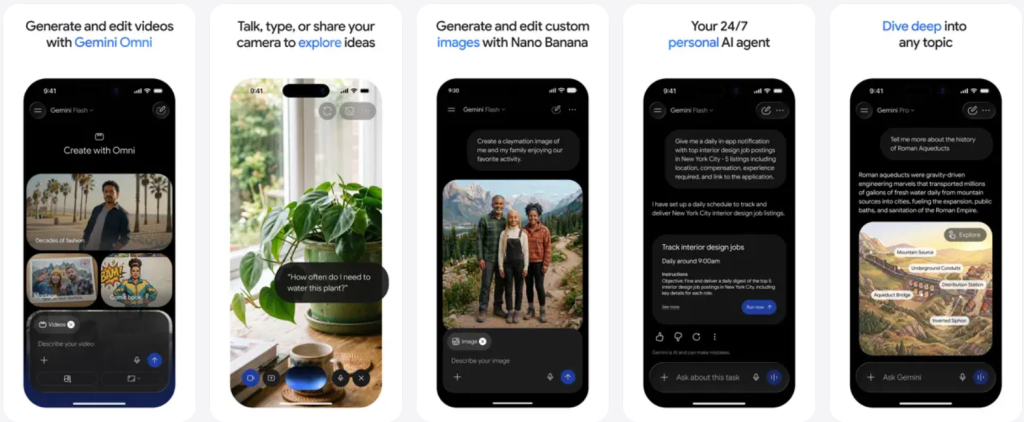
Google’s design philosophy is immediately recognizable throughout the Gemini experience.The interface is clean, minimal, and approachable. New users can begin asking questions almost instantly without navigating complicated settings or learning advanced commands.
Interface Design
The layout prioritizes readability and simplicity. Conversations remain easy to follow, while file-upload tools and additional features remain accessible without cluttering the screen.
Performance and Responsiveness
Most requests were completed quickly during testing, including document analysis and content generation tasks. Longer analytical requests occasionally required additional processing time, but overall performance remained consistent.
Learning Curve
One of Gemini’s biggest strengths is accessibility. Beginners can interact with it as naturally as performing a Google search, while advanced users can leverage prompts, document workflows, and productivity tasks without significant effort.
What Makes Gemini Different from Other AI Assistants?

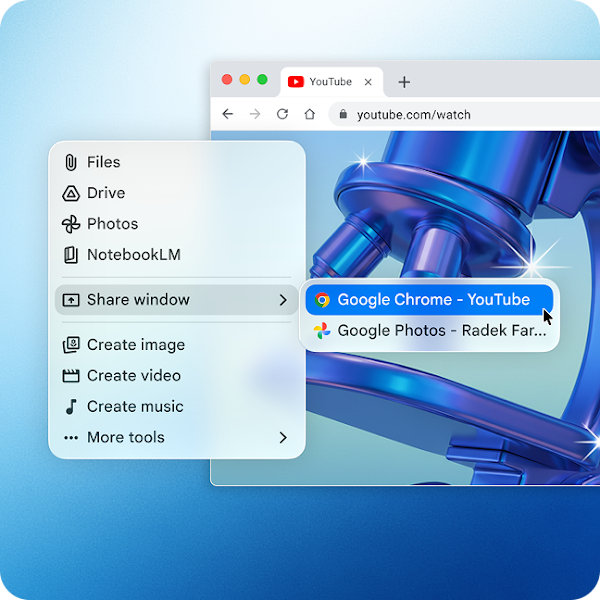
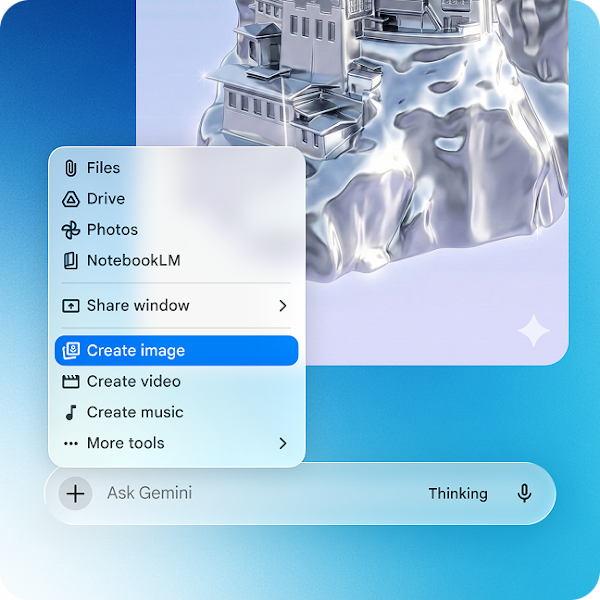
The AI assistant category has become increasingly crowded, making differentiation more important than ever. Gemini stands out in two key areas.
Deep Google Ecosystem Integration
For users already relying on Gmail, Google Docs, Google Drive, and other Google services, Gemini fits naturally into existing workflows. Instead of functioning as a separate tool, it increasingly becomes part of the broader productivity environment.
Practical Multimodal Workflows
Many competitors offer image analysis features, but Gemini’s ability to seamlessly combine document understanding, image interpretation, and conversational assistance creates a particularly useful workflow for research and productivity-focused users. These strengths make Gemini especially attractive to knowledge workers and students who regularly work with diverse information sources.
Pros and Cons
Pros
✓ Excellent multimodal capabilities
✓ Strong PDF and document analysis
✓ Effective research and information organization
✓ Beginner-friendly user experience
✓ Tight integration with Google’s ecosystem
✓ Useful for both study and professional work
Cons
✗ Some advanced features require a premium subscription
✗ Responses occasionally require fact-checking
✗ Limited customization compared with certain competitors
✗ Performance may vary on highly specialized topics
Is Google Gemini Worth Using?
After several weeks of testing, Google Gemini proved to be one of the most well-rounded AI assistants currently available.
Its strongest advantages are not flashy marketing features but practical productivity benefits. The combination of multimodal understanding and research assistance genuinely helps users process information faster and work more efficiently.
Students can use it to summarize study materials and understand difficult concepts. Professionals can streamline research, reporting, and communication tasks. Content creators can accelerate brainstorming, outlining, and content development workflows.
While it isn’t perfect and still requires occasional verification of important information, Gemini successfully balances intelligence, usability, and real-world usefulness.
Recommended for: Students, researchers, professionals, content creators, and Google Workspace users.
Less suitable for: Users seeking extensive customization options or highly specialized expert-level analysis without human oversight.
Download Gemini Here:


Gemini provides appropriate answers based on what is displayed on the screen. To enable Gemini accessibility, go to System Settings > Privacy & Security on macOS.