

WhatsApp Messenger
Start chatting and calling privately with WhatsApp across your devices.
WhatsApp Messenger Review: Is It Good?
With more than two billion users worldwide, WhatsApp Messenger has become one of the most popular messaging apps available today. Whether you want to send a quick text, make free international calls, or share photos and videos with friends, WhatsApp offers a simple and reliable solution.
But is WhatsApp still worth downloading in 2026? In this in-depth review, we’ll explore its features, real-world performance, advantages, disadvantages, and who should use it.
What Is WhatsApp Messenger?
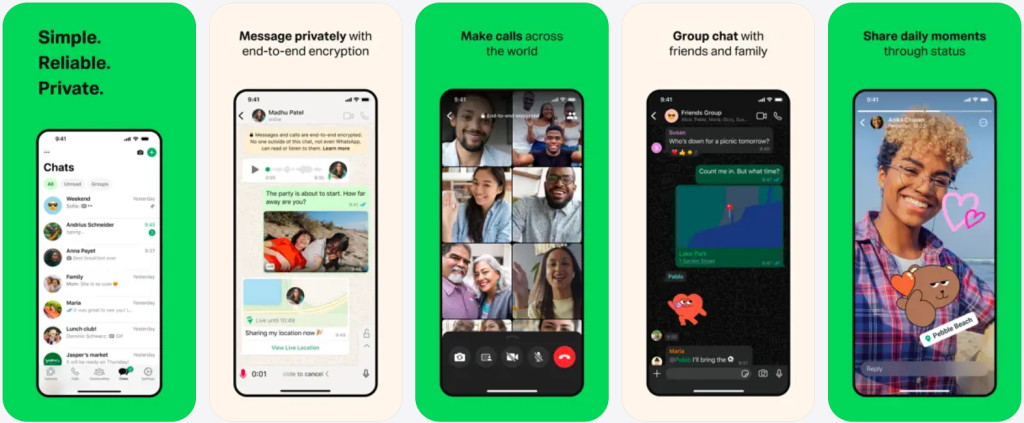
WhatsApp Messenger is a free instant messaging application developed by Meta. It allows users to send text messages, voice messages, photos, videos, documents, and make voice or video calls over the internet.
Unlike traditional SMS, WhatsApp works through your internet connection, making international communication much cheaper. Its clean interface, reliable performance, and strong privacy protection have helped it become the preferred messaging app in many countries.
| Item | Details |
|---|---|
| App Name | WhatsApp Messenger |
| Developer | Meta |
| Category | Communication |
| Price | Free |
| Supported Platforms | Android, iPhone, Windows, Mac, Web Browser |
| Main Functions | Messaging, Voice Calls, Video Calls, File Sharing, Communities |
| Best For | Personal communication, family chats, business communication |
Key Features of WhatsApp Messenger
WhatsApp focuses on one goal: making communication fast, simple, and secure. Over the years, it has evolved into much more than a basic chat application.

Instant Messaging
Messaging remains WhatsApp’s strongest feature. Text messages are delivered almost instantly, even on slower mobile networks. You can easily send emojis, stickers, GIFs, voice notes, contacts, locations, and documents without any complicated setup.
Group chats are also well designed, making it easy for families, classmates, friends, and work teams to stay connected.
High-Quality Voice and Video Calls
WhatsApp offers free voice and video calls over Wi-Fi or mobile data. Call quality is generally excellent, with stable audio and clear video under most network conditions.
International calls are one of WhatsApp’s biggest advantages because users don’t need to pay traditional long-distance phone charges.
Privacy Protection
Privacy has become increasingly important for messaging apps, and WhatsApp performs well in this area. Personal chats and calls are protected with end-to-end encryption, meaning conversations are designed to remain private between participants.
Additional security features include:
- Two-step verification
- Screen lock support
- Disappearing messages
- Chat lock for private conversations
- Spam blocking and reporting
These tools give users greater control over their personal information.
WhatsApp Web & Desktop
One of WhatsApp’s most practical features is its multi-device support.
You can continue chatting from:
- Android phones
- iPhones
- Windows PCs
- Mac computers
- Any browser using WhatsApp Web
The desktop experience is particularly useful for work because typing with a full keyboard is much faster than using a phone.
File Sharing
WhatsApp allows users to share a wide variety of files, including:
- Photos
- Videos
- PDF documents
- Word files
- Excel spreadsheets
- Presentations
- Contacts
- Live location
Sharing files only takes a few taps, making collaboration quick and convenient.
Channels and Communities
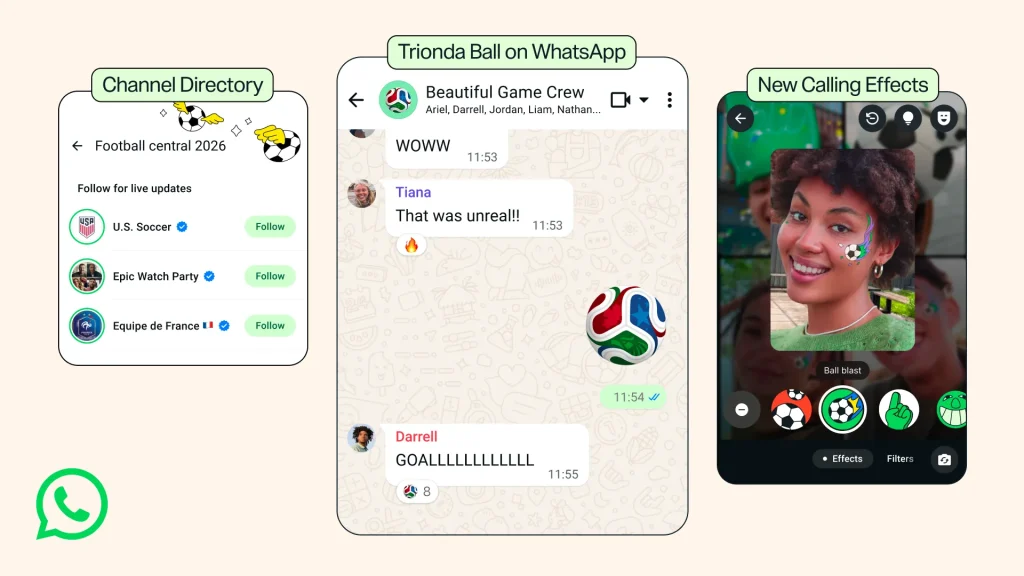
Recent updates have introduced Channels and Communities, allowing organizations, schools, clubs, and creators to communicate with larger audiences.
These features make WhatsApp more than just a personal messaging app—it is gradually becoming a complete communication platform.
Real User Experience
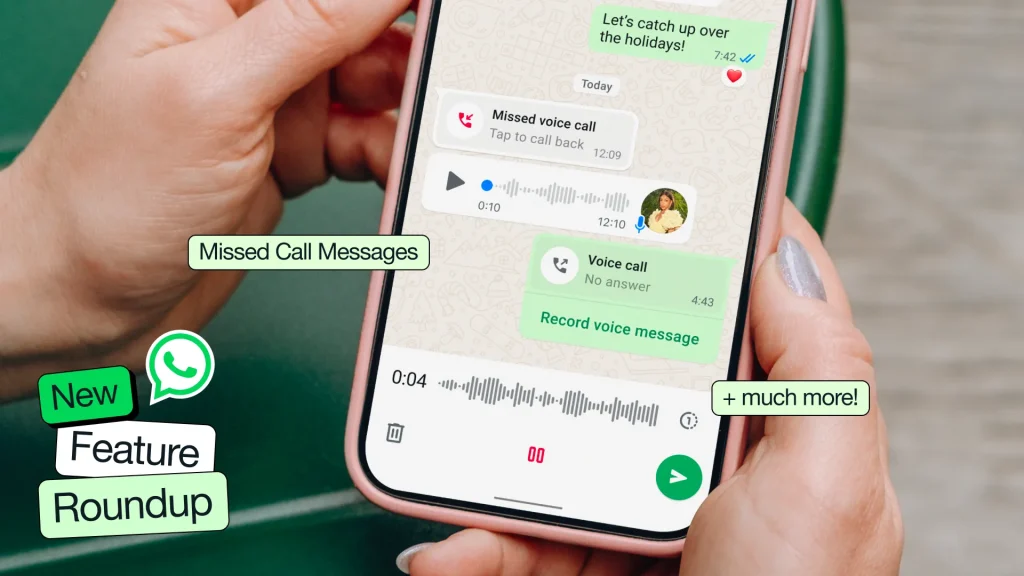
After using WhatsApp for daily communication, several strengths stand out immediately.
The first thing you’ll notice is its clean and distraction-free interface. Unlike many social networking apps, WhatsApp isn’t overloaded with recommended videos, endless feeds, or unnecessary notifications. Opening the app takes you directly to your conversations, making it easy to focus on what matters.
Performance is another highlight. Messages are delivered quickly, calls connect within seconds, and media files upload surprisingly fast, even on average internet connections. Battery consumption is also relatively low compared with many competing communication apps.
The synchronization between mobile devices and desktop computers works smoothly. Whether you’re replying to work messages on your laptop or chatting with family on your phone, conversations stay updated across devices without requiring complicated setup.
Overall, WhatsApp provides one of the most stable and reliable messaging experiences currently available.
Pros and Cons
| ✅ Pros | ❌ Cons |
|---|---|
| ✅ Free messaging, voice calls, and video calls over the internet | ❌ Requires a mobile phone number to register |
| ✅ Clean, intuitive interface with almost no learning curve | ❌ May not be fully accessible in some countries or regions due to network restrictions |
| ✅ End-to-end encryption helps keep conversations private | ❌ Large file transfers still have size limitations |
| ✅ Fast message delivery and reliable call quality | ❌ Lacks advanced social networking and content discovery features |
| ✅ Works across Android, iPhone, Windows, Mac, and Web | ❌ Backup options may rely on third-party cloud services |
| ✅ No intrusive ads inside personal chats | ❌ Some advanced features depend on a stable internet connection |
| ✅ Excellent for international communication without SMS fees | ❌ Account recovery can be difficult if you lose access to your phone number |
Overall, WhatsApp stands out for its simplicity, reliability, and excellent communication features. It offers fast messaging, high-quality voice and video calls, strong privacy protection, and a clean, ad-free experience that makes everyday conversations effortless. While the app does have a few limitations—such as requiring a phone number, occasional regional restrictions, and file size limits—these drawbacks are relatively minor for most users. For anyone looking for a dependable messaging app that works across multiple devices, WhatsApp remains one of the best choices available.
How to Download and Install WhatsApp
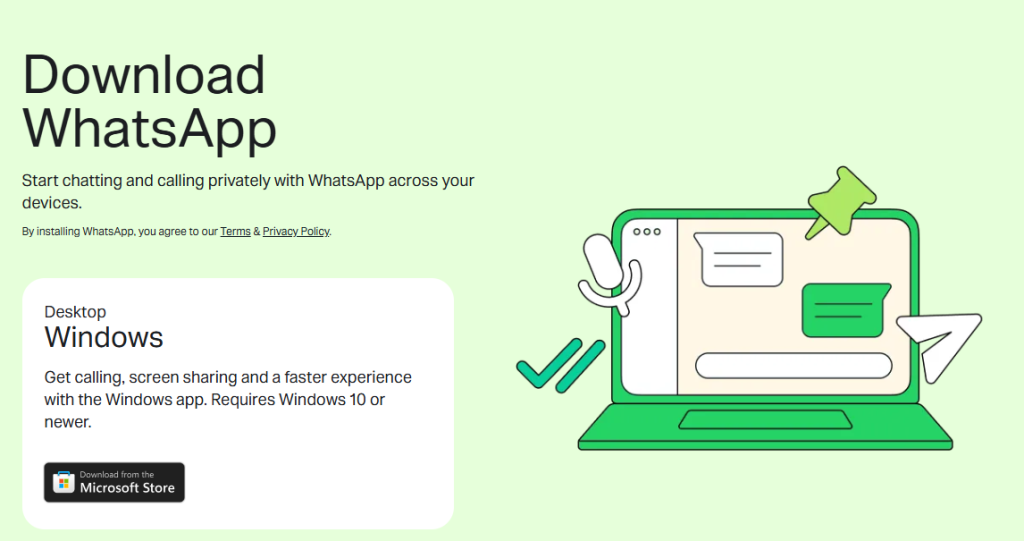
Installing WhatsApp only takes a few minutes.
For Android users, open the Google Play Store, search for WhatsApp Messenger, tap Install, and wait for the download to finish.
iPhone users can find WhatsApp in the Apple App Store by searching its name and tapping Get.
After installation, simply verify your mobile phone number, enter your name, and you’re ready to start chatting. If you want to continue conversations on a computer, scan the QR code on WhatsApp Web or sign in through the desktop application. The setup process is beginner-friendly and requires very little technical knowledge.
Who Should Use WhatsApp?
WhatsApp is an excellent choice for anyone who values fast, reliable, and private communication. It works especially well for people who frequently stay in touch with friends or relatives living overseas, since messages and calls only require an internet connection.
The app is also well suited for students collaborating on assignments, remote teams sharing documents, small businesses communicating with customers, and travelers who want an affordable way to stay connected while abroad.
However, users looking for a social media platform with content discovery, public profiles, or entertainment feeds may find WhatsApp too focused on messaging. Likewise, those who prefer registering without a phone number may want to consider alternative communication apps.
Is WhatsApp Worth Downloading?
Absolutely. WhatsApp continues to be one of the best messaging applications available in 2026. It combines fast messaging, excellent voice and video quality, strong privacy features, and broad device compatibility into a single free application.
While requiring a phone number and facing limited availability in certain regions may be drawbacks for some users, these issues are outweighed by its overall reliability, ease of use, and global popularity.
If you’re looking for a dependable messaging app that simply works, WhatsApp remains one of the strongest choices available.
Download WhatsApp Messenger
Ready to start chatting with friends, family, or colleagues around the world? Download the latest version of WhatsApp Messenger for your device today and enjoy free messaging, high-quality voice and video calls, secure conversations, and seamless communication across all your devices.