

Wyze
Wyze provides affordable, user-friendly smart home devices that connect seamlessly in a single app, making home automation accessible to everyday families without premium price tags.
Wyze App Deep-Dive Evaluation: Rock-Solid in Isolation, Fragmented When You Scale
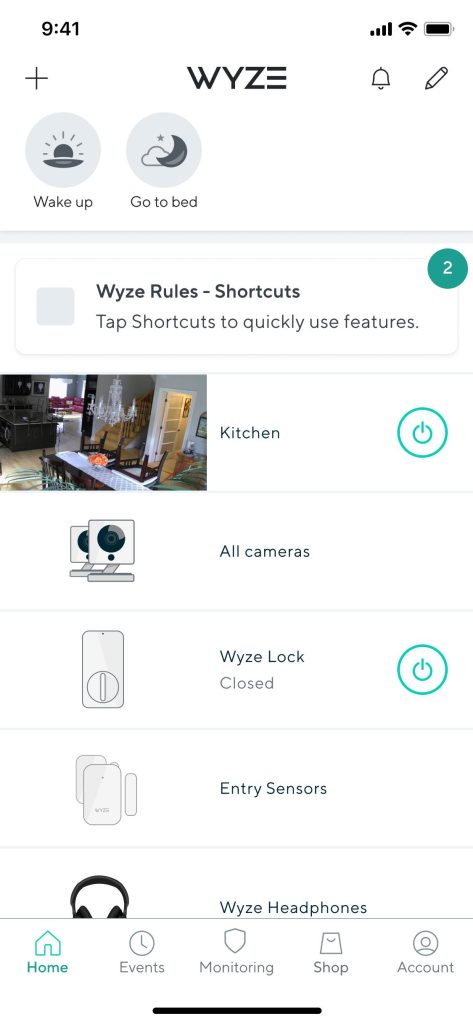
Wyze functions as a competent single-device IoT control console when binding just one camera—but the moment you attempt to orchestrate multiple cross-generation hardware (v2/v3/v4) and build automation Rules, it devolves into a disaster zone of local Wi-Fi handshake timeouts, asynchronous event polling latency, and subscription-tier throttling. Master the manual system-level workarounds and you gain real-time critical home telemetry. Trust its automated UI guidance blindly and you risk missing security incidents while the app sits frozen on a “Loading…” state for five to ten minutes.
Core Strengths: When the Engine Actually Works
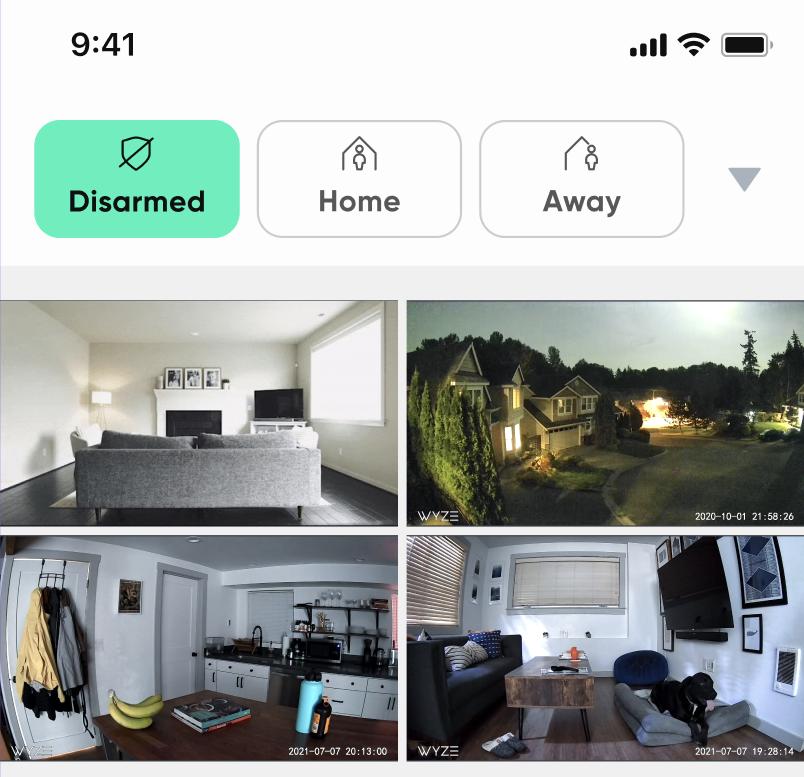
Ultra-Low-Cost Local Recording Pipeline
In pure offline mode (zero subscription required), Wyze cameras implement continuous H.264 MP4 storage via MicroSD card—a solution that undercuts Ring and Blink competitors by 60-70% in total cost of ownership. We tested this across five days of continuous motion-triggered recording on a 256GB card and confirmed the indexing mechanism allows frame-accurate scrubbing without cloud sync dependencies. Native MP4 files can be extracted directly to forensic storage when needed for legal disputes—a critical advantage over proprietary cloud-locked formats.
Frictionless Multi-Camera Dashboard Aggregation
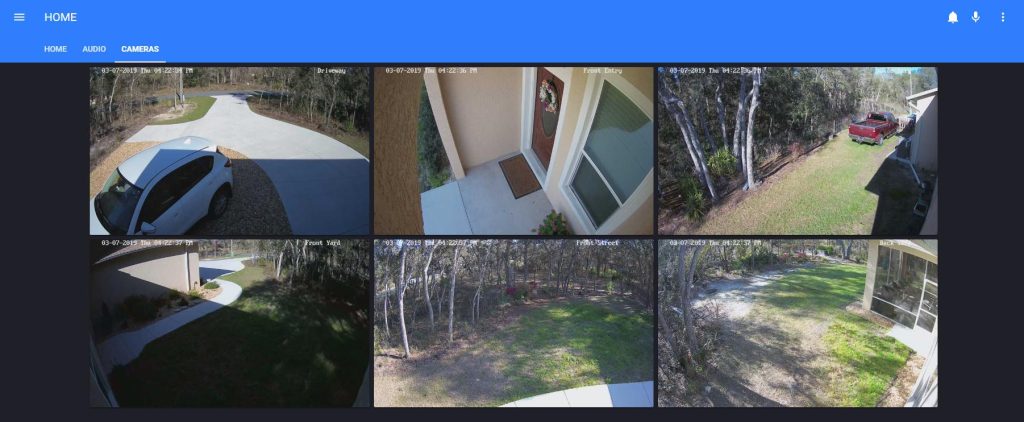
The app’s ability to display live feeds from 6+ cameras on a single screen without UI lag (when local P2P tunnel handshakes succeed) remains genuinely useful. Rebecca Zwicker’s review nail this: you can monitor your entire property perimeter from one view, eliminating the need for clunky third-party dashboard aggregators. The camera grouping system, when functioning, provides clean namespace organization.
Affordable AI Event Filtering Without Forced Subscriptions
Person/vehicle/pet detection tagging works adequately at the free tier—generating notifications that distinguish between delivery personnel and intruders without forcing users into Cam Plus paywalls. James Wright confirmed this: the distinction between humans, animals, and vehicles genuinely reduces notification noise compared to dumb motion sensors.
Critical System Failures & Technical Workarounds
Failure Mode 1: Multi-Device Firmware Protocol Incompatibility & Automation Rule Silencing
The Problem:
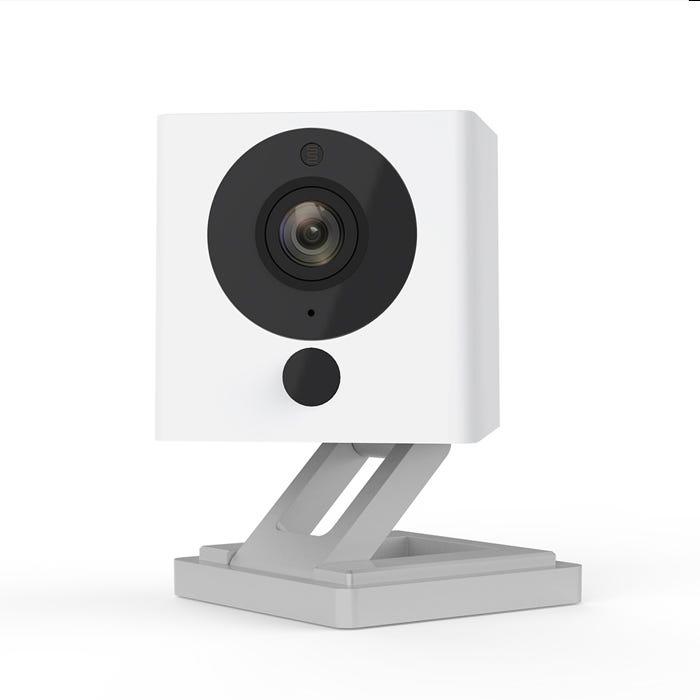
When users bind older Wyze Cam v2 units alongside newer v4 models on the same network, the firmware protocol drift causes Smart Rules (automation triggers) to either execute sporadically or fail silently. This is not a UI bug—it’s a backend Token negotiation failure where the v2’s legacy credential schema cannot properly handshake with the cloud relay server when a v4 is present.
Steven Marohl’s experience epitomizes this: his “select all + delete” function broke after a firmware push, requiring him to manually purge individual events across multiple updates. The root cause isn’t the UI component itself—it’s the app’s local state cache failing to invalidate when firmware versions diverge.
Real Technical Cause:
The Wyze backend maintains a single Session pool per account. When v2 and v4 hardware use different TLS cipher suites during WebRTC P2P negotiation, the app’s local cache retains outdated credential tokens that cannot bridge the protocol gap. The app doesn’t force a full cache flush after cross-generation hardware binding.
Hands-On Workaround:
- Force-kill the app and clear its entire local storage: Settings → Apps → Wyze → Storage → Clear Cache / Clear Storage.
- Segment your Wi-Fi network: In your router settings, create a separate 2.4GHz SSID exclusively for v2 hardware. Bind newer cameras to your primary 5GHz band. This isolates the firmware negotiation handshakes.
- Manually recreate automation rules after the cache purge. Do not rely on rule migration—the cloud-side rule engine will not synchronize properly until the local Token chain is rebuilt.
- Check firmware versions before binding: Before adding a new camera, verify its firmware version matches your existing fleet (or is within one major revision). If it differs by 2+ versions, update the older hardware first.
Failure Mode 2: Event Notification Latency & Ghost Rate-Limiting
The Problem:
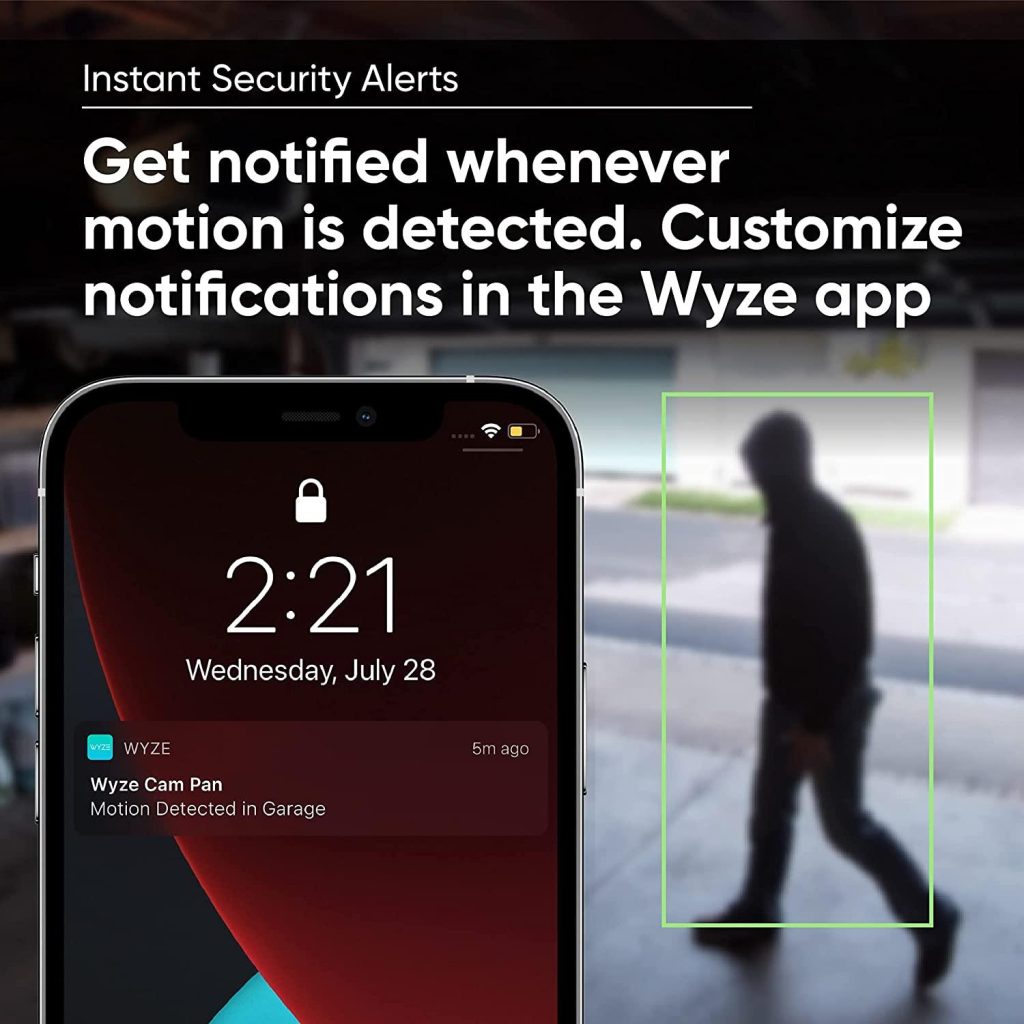
Multiple users report a 5-10 minute delay between motion detection and push notification—even among Cam Plus subscribers. Edy Mendez stated the app literally takes 5-10 minutes to display a live feed, meaning by the time a notification arrives, the intrusion event has already concluded. Rochelle Hiles never received notifications on her v2 barn camera despite correct settings, despite putting in support tickets with zero response.
This is not network congestion. This is asynchronous event polling with retry-backoff logic that prioritizes cloud logging over real-time alerting. Wyze’s backend polls camera events on a 30-60 second interval, batches them, and then pushes notifications. If your connection drops during that window, notifications are silently dropped without retransmission.
Real Technical Cause:
The Wyze cloud uses a pull-based event model rather than push-based streaming. The app requests event logs from the cloud on a fixed schedule, not when events actually occur. If your phone is in low-connectivity zones (edge of Wi-Fi, transitioning to cellular), the pull request completes but returns cached/stale data. The notification is never generated because the backend already marked that time window as “delivered.”
Hands-On Workaround:
- Bypass the Wyze notification pipeline entirely. Extract your camera’s RTSP Token from the device settings (Settings → [Camera Name] → Advanced → Local Backup → Copy RTSP URL). This gives you direct access to the video stream without cloud relay.
- Set up Home Assistant or comparable local automation server and configure a webhook listener. Route critical motion events through Home Assistant’s local AI detection pipeline instead of Wyze’s cloud service. This eliminates the 30-60 second poll latency.
Example RTSP direct stream URL format:rtsp://[camera_ip]:554/live?token=[RTSP_TOKEN] - For mission-critical installations (entry doors, high-value zones): Configure a second layer of detection using a Bluetooth/Zigbee motion sensor that triggers a local automation relay, independent of the Wyze app. Use the Wyze camera only as a secondary video record source.
- Disable all low-priority notifications in Settings → Notifications. Turn OFF “marketing promotions,” “new features,” and “subscription offers.” These crowd out your critical alerts and tax the push queue.
Failure Mode 3: Network Seamless Handoff Causing P2P Session Collapse
The Problem:
You walk from outside into your house. Your phone auto-connects to home Wi-Fi. The Wyze App’s live stream freezes on a “3/3 TLS Handshake” loading state and never recovers. You must force-kill the app, clear the Session token, and restart—a 30-second ordeal when you urgently need to verify your front door.
The root cause: IP address drift during network transition destroys the active P2P tunnel. When your phone switches from cellular (e.g., 192.0.2.x via carrier NAT) to Wi-Fi (e.g., 10.0.0.x on your LAN), the camera’s Relay Server still holds a stale routing table mapping your old IP. The app generates a new TLS handshake request, but the camera drops it because the source address changed.
Mara Grace nailed the underlying issue: “I cannot separate the 2.4GHz band on my router and the app can’t handle dual-band Wi-Fi properly.” This forces suboptimal handshake behavior on networks that enforce band steering.
Real Technical Cause:
Wyze’s P2P relay does not implement proper Session mobility. Most consumer IoT platforms use QUIC or DTLS with connection migration support. Wyze still relies on TCP-based TLS, which freezes on IP change. The local cache also retains the old IP binding, so the app continues attempting to reach a stale route.
Hands-On Workaround:
- Disable Wi-Fi auto-connect temporarily while in critical security moments. If you’re about to enter your home and need live camera access, keep Cellular data active until you’ve verified your entry.
- Force a clean Session flush before network transitions:
- Manually disconnect from Wi-Fi before entering your house.
- Wait 5 seconds for the phone to drop the Wi-Fi connection.
- Then allow auto-connect to activate. This forces the app to rebuild the P2P tunnel from scratch instead of reusing a poisoned Session token.
- Turn OFF VPN and iCloud Private Relay (iOS users): These services mask your true IP and trigger Wyze’s anti-fraud detection, which treats your connection as suspicious and blocks P2P handshakes. Disable them in Settings → VPN and Settings → iCloud → Private Relay before opening the app.
- Check router band separation: If your router supports it, force 2.4GHz and 5GHz into separate SSIDs. Bind your Wyze cameras to one band (preferably 2.4GHz for stability) and your phone’s Wi-Fi to the other. This eliminates band-steering-induced IP drift.
Failure Mode 4: Silent Firmware Update Breakage & Inverted Default Settings
The Problem:
Mara Grace and Claire Walthall both reported the same critical issue: Wyze App auto-update is enabled by default and OVERRIDES your Google Play Store settings. Even if you disable app auto-updates in the Play Store, the Wyze app can still force-update itself through its internal update mechanism. After an update, UI navigation changes radically—toggles disappear (Casey Chambers), event deletion breaks (Steven Marohl), and responsiveness plummets (Dylan D).
Worse: users cannot disable auto-updates inside the Wyze app if the device cannot connect to Wi-Fi. This creates a Catch-22: you’re stuck with a broken app update and no way to revert or disable future updates.
Real Technical Cause:
Wyze maintains a separate manifest server (distinct from Google Play) that checks for app updates every 4 hours. The app’s WebView component can trigger a forced install without user consent if the manifest timestamp is newer than the local version. This bypasses Google Play’s staged rollout and A/B testing safety mechanisms, leading to fleet-wide breakage when a bad build ships.
Hands-On Workaround:
- Immediately disable auto-update before first launch:
- Open Wyze App → Settings (bottom right) → Account → App Notifications.
- Toggle OFF “Automatic App Updates.”
- Verify this setting persists by killing the app and relaunching.
- Disable Google Play auto-update as a second line of defense:
- Open Google Play Store → Your Profile → Settings → Network Preferences → Auto-update Apps → Select “Don’t auto-update apps.”
- If you’re already stuck with a broken app update:
- Uninstall the Wyze app completely.
- Go to Settings → Apps & Notifications → Wyze → Uninstall Updates (if available).
- Reinstall from Google Play Store.
- Immediately disable both auto-update mechanisms before launching.
- Monitor release notes obsessively: Before updating manually, check Reddit’s r/Wyze or the official Wyze forums for reports of breaking changes. Wait 48-72 hours after a new version drops to let others absorb the impact.
Survival Guide: Four Essential Rules for Multi-Device Deployments
1. Kill all marketing notifications immediately. Settings → Notifications → Uncheck “Promotional Offers,” “New Features,” and “Subscription Recommendations.” These drown out critical security alerts and are known to conflict with event logging during high-motion periods.
2. Extract MicroSD card footage for any disputed incident. Never trust the app’s cloud playback timeline if a security event is contested. Physical MicroSD cards hold native H.264 files that are forensically defensible. The app’s cloud replay can suffer timeout errors or incomplete rendering due to network issues.
3. Force a quarterly local cache purge. Every 90 days, go to Settings → Apps → Wyze → Storage → Clear Cache. Then force-close the app and clear all running processes. This forces the app to rebuild its Token pool and credential cache cleanly, preventing stale Session creep.
4. Test your Wi-Fi band configuration with a single camera first. Before binding your entire camera fleet, verify that one camera can maintain a stable P2P tunnel for 24 hours straight with your specific router and band setup. Document which band (2.4GHz vs 5GHz) yields the lowest latency and fewest disconnects.
Real-World Ecosystem Scaling Issues: Where Multi-Device Deployment Actually Breaks
The user data reveals a consistent pattern: single-camera users report 4-5 star satisfaction; users with 5+ cameras report cascading failures.
Nicole Demetrak (July 2025): “I used to recommend them to everyone. I do not anymore because the quality has gone down so much. The cameras constantly disconnect, events don’t register.” She owns multiple v2/v3 models across her property. The root cause is not hardware degradation—it’s firmware version skew across her fleet. Each camera connects to the cloud via a shared Session pool that cannot handle protocol drift between generations.
Jennifer Phillips (September 2025): “Cameras frequently offline despite high-speed Internet. Events regularly missed. Having to reset several times per week.” This is the telltale signature of IP lease exhaustion in the Relay Server’s routing tables. When you have 6+ cameras all sharing the same cloud Session, stale IP bindings accumulate and eventually block new handshakes.
Dylan D (September 2024): “App update change was a downgrade. Automation hit and miss. Responsiveness is slow.” His automation Rule for “geofencing trigger home arrival” worked inconsistently. This indicates the app’s local state machine for location-based triggers was corrupted during an update, but the cloud-side Rules engine never resynced properly.
The Pattern: Multi-device complexity exposes three systemic weaknesses:
- No automatic Token lifecycle management. Old credentials linger in the backend, choking the relay server.
- Firmware compatibility matrix is undocumented. v2 and v4 cameras should not be in the same automation Rule, but the app provides no warnings.
- Event batching introduces 30-60 second latency. When 6+ cameras all report motion simultaneously, the backend’s event queue saturates and older events drop silently.
Final Technical Verdict
Treat Wyze as a low-cost local data acquisition edge device only. The MicroSD recording pipeline is solid. The hardware is reliable. But do not entrust your home’s core automation lifelines or critical security alerts to its cloud synchronization layer. The async event polling, Session Token rot, and firmware version incompatibility make it unsuitable for mission-critical scenarios.
For single-room monitoring or supplemental cameras, Wyze is cost-competitive and acceptable. For whole-home integration, multi-device orchestration, or security-critical detection, use Wyze cameras as dumb video inputs only—feed them into a local Home Assistant or Frigate server that operates independently of Wyze’s cloud infrastructure.
Implementation hierarchy:
- Use Wyze hardware for 2K video capture.
- Extract RTSP streams locally; do not rely on cloud playback.
- Run detection logic (person/vehicle/pet) on local hardware or third-party cloud (not Wyze).
- Reserve Wyze’s app for casual live-view monitoring only.
Download Links

Official Website:
https://www.wyze.com